05 · A real-time AI assistant for calls
Copilot
While the old recognizer handled one phrase, Copilot gets through forty. 86 ms is faster than a blink.
A real-time AI assistant for calls
macOSWindows
A desktop app for interviews and calls: it listens to the conversation, recognizes speech right on the device and suggests an answer in a fraction of a second. The other side never sees it: Copilot stays out of screen sharing and screenshots and has no icon in the Dock or the tray. Recognition is 40× faster: 86 ms per phrase instead of 3.5 s. Built in 2.5 months: apps for macOS and Windows, a website with payments, a licensing backend and a tunnel to the LLM.
The notch island
While Copilot listens, only a green line glows under the notch. Hover it and the island unfolds: the other side's live speech, the question and a streamed answer. The other side never sees the island: on the right of the call window is their view of your screen, and the island is not there.
The interface follows the app's source code, the MacBook is modelled and rendered by us in Blender

How Copilot follows a conversation
Recognising words is not enough. Copilot cuts speech into phrases, tells voices apart, drops noise and remembers the conversation, so a hint answers the question rather than an “uh-huh” and sounds like you.
Thresholds and rules from the app code, phrases are examples
One question through the system
example: phrases and timing are illustrative, thresholds from the code · 0:00.00
Interviewer
Hint
01Speech into phrases
The detector cuts audio into phrases and keeps half a second before the start so the first word is not lost.
02Whose voice
A phrase goes to a voice by its print. A short chunk is better left unlabeled than credited to someone else.
03Question or noise
Fillers, fragments and recognition hallucinations are dropped before the model.
04Conversation memory
The request carries the conversation by volume, not by number of lines.
05An answer in your voice
From your profile and the job, no invented facts. You can start saying the first thought at once.
For macOS and Windows
One logic, but each system gets its own stack: every version leans on the strong side of its hardware. The website and server are shared.
macOS
Swift · SwiftUI · AppKit · WhisperKit · FluidAudio · Core Audio
- WhisperKit recognition on the Neural Engine: fast and no GPU needed
- The other side's audio via a Core Audio process tap from any calling client
- The notch island and a separate window, both hidden from screen capture
- No Dock or menu bar icon
Windows
C# · .NET 10 · WPF · NAudio · Python · faster-whisper
- faster-whisper on the GPU as a separate process, the built-in whisper.cpp on the CPU without one
- The other side's audio via WASAPI loopback, the microphone optional
- The window is excluded from screen capture by a Windows system flag
- No taskbar button or tray icon, an Inno Setup installer
Website and server
Node.js · SQLite · nginx · systemd · SOCKS tunnel
- Product website: tiers, payment, the key right after purchase, downloads for both systems
- Licensing backend: the LLM key stays on the server, usage by real tokens
- A tunnel to a node abroad: LLM providers do not answer a Russian server
- An admin panel to issue and switch off keys
License and data
The license lets us improve the product for everyone at once and control access. The conversation stays yours: audio never leaves the device and text is not stored on the server, so the owners never see it.
Request route and database fields from the backend code, the key and numbers are examples
Your device
ICP-7F3A-9C1D-····
Our license server
key found
Standard · 250 answers left
Model
waiting for a request
Where Copilot is heading
Today Copilot hears and answers. Next it will see the screen and act, but only with permission. The interviewer shows a task, Copilot understands it, proposes a solution and after your yes runs the code in the right environment.
A direction of development: not in the current version yet
Screen share · Interviewer
Task 2
Given an array of numbers nums and a number target.
Return the indices of two numbers that add up to target.
[2, 7, 11, 15], 9 → [0, 1] [3, 2, 4], 6 → [1, 2] [3, 3], 6 → [0, 1]
def two_sum(nums, target):
    # your code
Copilot
Reading the screen
Task: two numbers adding up to target · Python
The task
A hint during a conversation is only useful if it arrives immediately. Cloud recognition adds latency and sends someone's voice outside.
The task: recognize speech locally, answer before the other person finishes the thought, and keep the LLM key out of the app.
Only the owner sees the hint: the window must stay out of screen sharing, screenshots, the Dock and the tray. All of it on two systems, each with its own stack, with flexible settings for the person and the specific call.
Slice by layer
- Interfacethe pixel
- A panel at the screen notch that unfolds into a glass island, or a separate window. Neither shows up in screen sharing
- Logicmoney and rules
- Speech segmentation, live phrase text, speaker separation, streamed hints
- Dataschema and migrations
- Profile and context on the device, licences and usage in an isolated backend database
- Serverdeploy and operations
- A website with payments and key delivery, a licensing backend behind nginx, a SOCKS tunnel to a node abroad, installers for both platforms
- Securitythe kernel
- The LLM key lives only on the server, the service is non-root and sandboxed, audio never leaves the device
Recognition 40 times faster
On Windows a 3-second phrase took 3.5 seconds to recognize: the CPU engine always processes a 30-second window.
- 01faster-whisper moved to the GPU as a separate process, the app talks to it over IPC and starts it itself
- 02No Python or GPU: a silent fallback to the built-in engine with no loss of features, a GPU or CPU indicator at the bottom
- 03Dead ends tested and dropped: the CUDA runtime needs an installed CUDA Toolkit, the Vulkan runtime is three times slower than the CPU
- 04On macOS WhisperKit runs on the Neural Engine
Result
The same phrase is recognized in 86 ms.
Live text without fragments
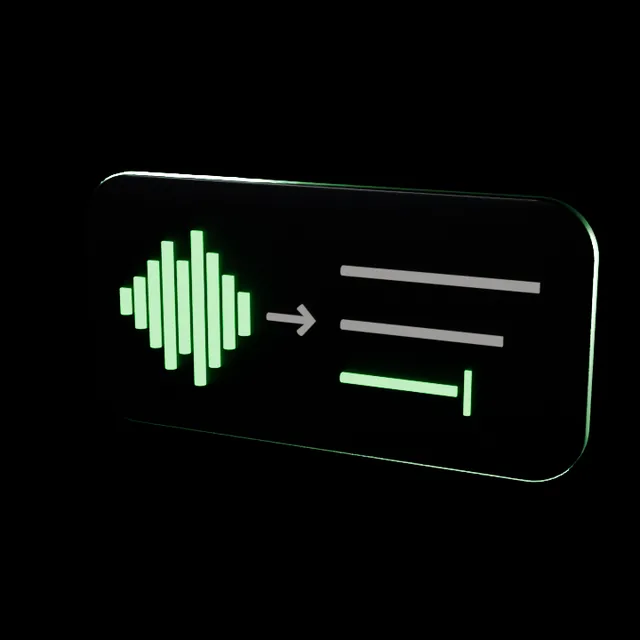
The phrase appears on screen while the person is speaking and never gets stitched from pieces.
- 01The phrase is re-recognized from its start every 0.8 s of new speech, half a second before speech onset is kept so the first word is not lost
- 02The beginning of a long phrase gets locked and is not recomputed
- 03A neural voice activity detector and voice embeddings tell speakers apart, with a softer threshold because call audio is compressed
An interface at the notch
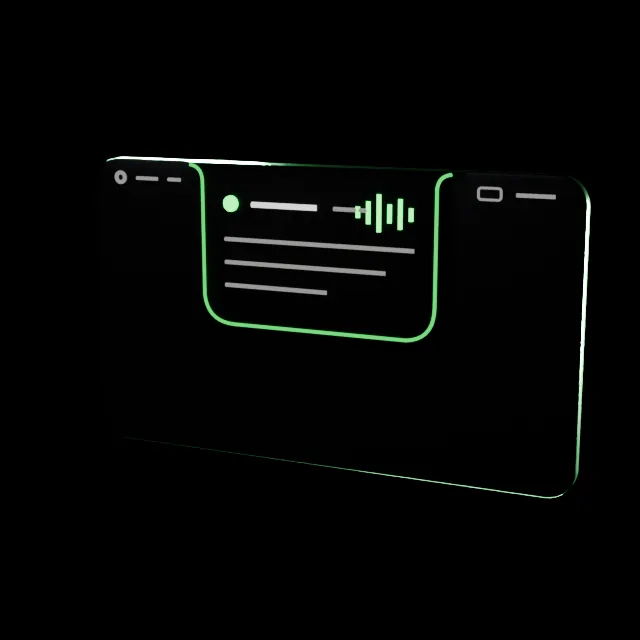
At rest the panel is invisible, on hover it unfolds into a glass island.
- 01System audio on macOS is captured via a Core Audio process tap: other paths return silence
- 02Only the owner sees the window: sharingType on macOS and the WDA_EXCLUDEFROMCAPTURE flag on Windows keep it out of sharing, recordings and screenshots
- 03No Dock or menu bar icon on macOS, no taskbar button or tray icon on Windows
- 04The answer takes all free space, history folds into a thin strip, empty fields explain themselves in words
Website, licensing and a tunnel
The app does not know the LLM key: every request goes through our backend with a licence check and usage metering. Around it sits the website where the product is bought and downloaded.
- 01Product website: three tiers, payment, the key arrives right after purchase via a webhook, downloads for macOS and Windows
- 02Admin panel: manual key issuing and licence switch-off
- 03Tiers by number of answers, metering by the provider's real token usage
- 04The service listens only on loopback behind nginx and runs as its own user in a systemd sandbox
- 05LLM providers block the Russian server: requests go through a SOCKS tunnel to Amsterdam with strict host key checking
- 06Request text reaches the model in transit: the database keeps only the key, the plan and token usage, the conversation is written neither to the database nor to logs
Flexible settings

Copilot adapts to the person and to the specific call: where it sits on screen, how long it answers, whose voice it speaks in.
- 01Where to show: a separate window, the notch island or both, and the island can be pinned open
- 02Default answer length: short, normal or detailed, plus shorter, more and example buttons on every answer
- 03An About me field and the job description: answers sound like the candidate and fit the company's stack
- 04Voices get names: the hint says Interviewer instead of Voice 1
- 05Hotkeys work while the call window has focus: listen, shorter, flip through answers, font size
- 06On Windows, a choice of recognition model and language, with the microphone switched on separately
Understanding context
A hint helps only if it hits the question. Between recognition and the model sits our own understanding layer: whose line it is, whether it is a question, what has been said.
- 01Voices are told apart by prints: a sure match, a soft one for short chunks, a new person only after 2.5 seconds of clean speech and no more than four per call
- 02Filler words, fragments and recognition hallucinations like “thanks for watching” never reach the model
- 03Conversation memory is counted by volume, about 8,000 characters, and sees a phrase still being spoken
- 04The instructions demand first-person answers built only on real experience from the profile, with no invented facts or numbers
- 05The first thought of an answer is set apart so you can start saying it while reading the rest
- 06The profile is cached at the model provider, repeat requests in a session cost less
Where we are taking it

The next version sees the screen and can act, while the decision stays with the person: every action waits for their permission.
- 01Vision: reads what the interviewer shows in a screen share, the way it hears a voice today
- 02A task on screen: understands it, proposes a solution for the candidate's stack and explains the reasoning
- 03Actions: running code in the right environment, opening a file, typing into the editor, each only after “allow”
- 04The privacy rule stays the same: the screen is read for the answer and not stored on the server
Stories from production
Incident 01 · open
System audio that wasn't there
ScreenCaptureKit delivered no system audio at all in the mode we needed.
Incident 02 · open
Licensing next to someone else's database
The backend shared a server with another product and ran as root: a bug in it would expose the other product's secrets.
Stack
Swift · AppKit · SwiftUI · WhisperKit · Core Audio · C# · .NET 10 · WPF · NAudio · Python · faster-whisper · Node.js · SQLite · OpenRouter